Presenter Start Button
The Presenter Start Button offers an alternative way for your users to start a pre-defined presentation. It is designed to enable casual visitors to start presentations without much explanation.
The Start Button itself will only be visible in the regular Confluence view, but not in the presentation. You can style the button to match your corporate design.
info
Please note that this is a special way to start a pre-defined presentation. Normal users start a presentation using the Presentation dialog.
What Start Buttons look like
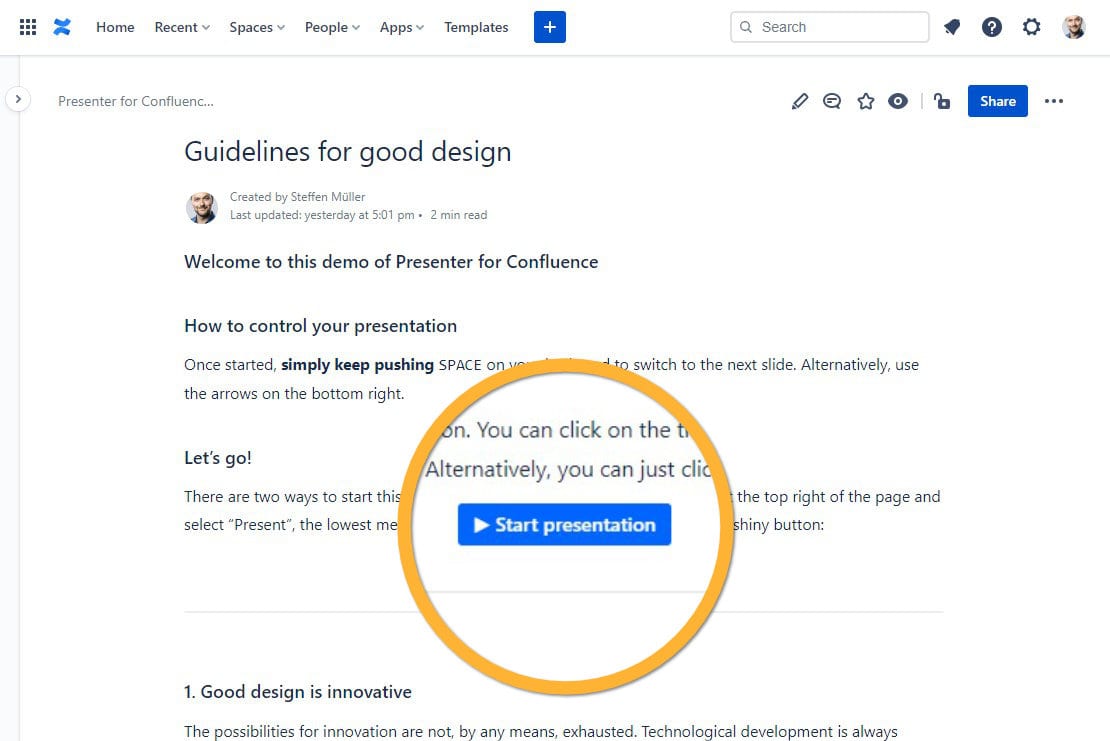
The default, uncustomized start button looks like this:
Customization options
| Option | Meaning |
|---|---|
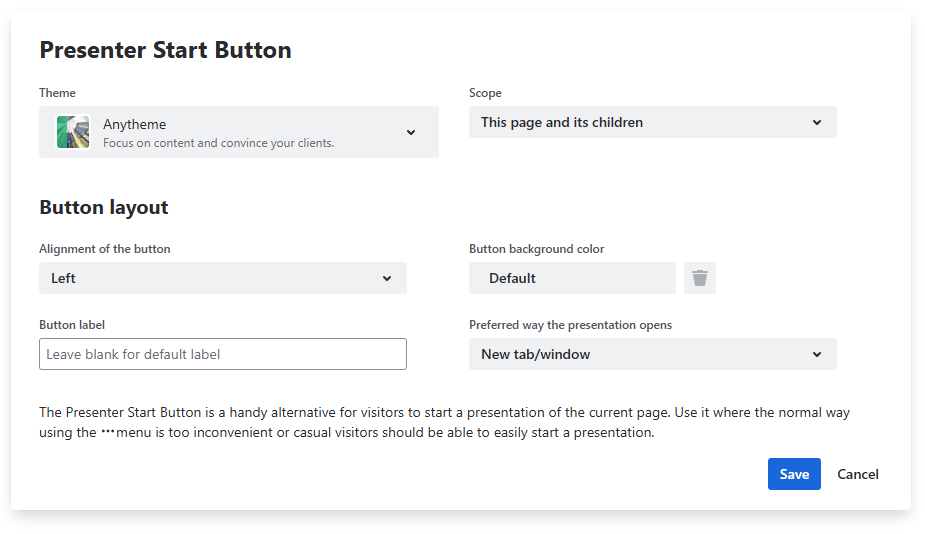
| Theme | The theme the presentation will use, just as if you chose a theme in the Presentation dialog. |
| Scope | Whether the children of the current page will be included |
| Alignment of the button | Should your button be aligned left, right or centered? |
| Button background color | Pick a color for the background of your button. Please note that the font color is always white, so use a color with sufficient contrast. You can define custom colors via their hex code. Learn more about hex code colors. |
| Button label | Define what is written on your button. Leave it empty to keep a localized default text. |
| Preferred way the presentation opens | Where should the presentation open? - New tab/window - Reuse the current tab/window - Fullscreen (quick open) The options are the same as in the presentation dialog. Learn more about these options there. |